Reviewer flow setup
The reviewer flow allows companies to have an additional revision step for managers before emissions can be marked as completed. This adds the WAITING_APPROVAL state to the event lifecycle — see Emission States for details.
To enable it, follow the instructions below:
- Log in Django admin.
- Go to
Companiesand find the company you want to enable the reviewer flow for.
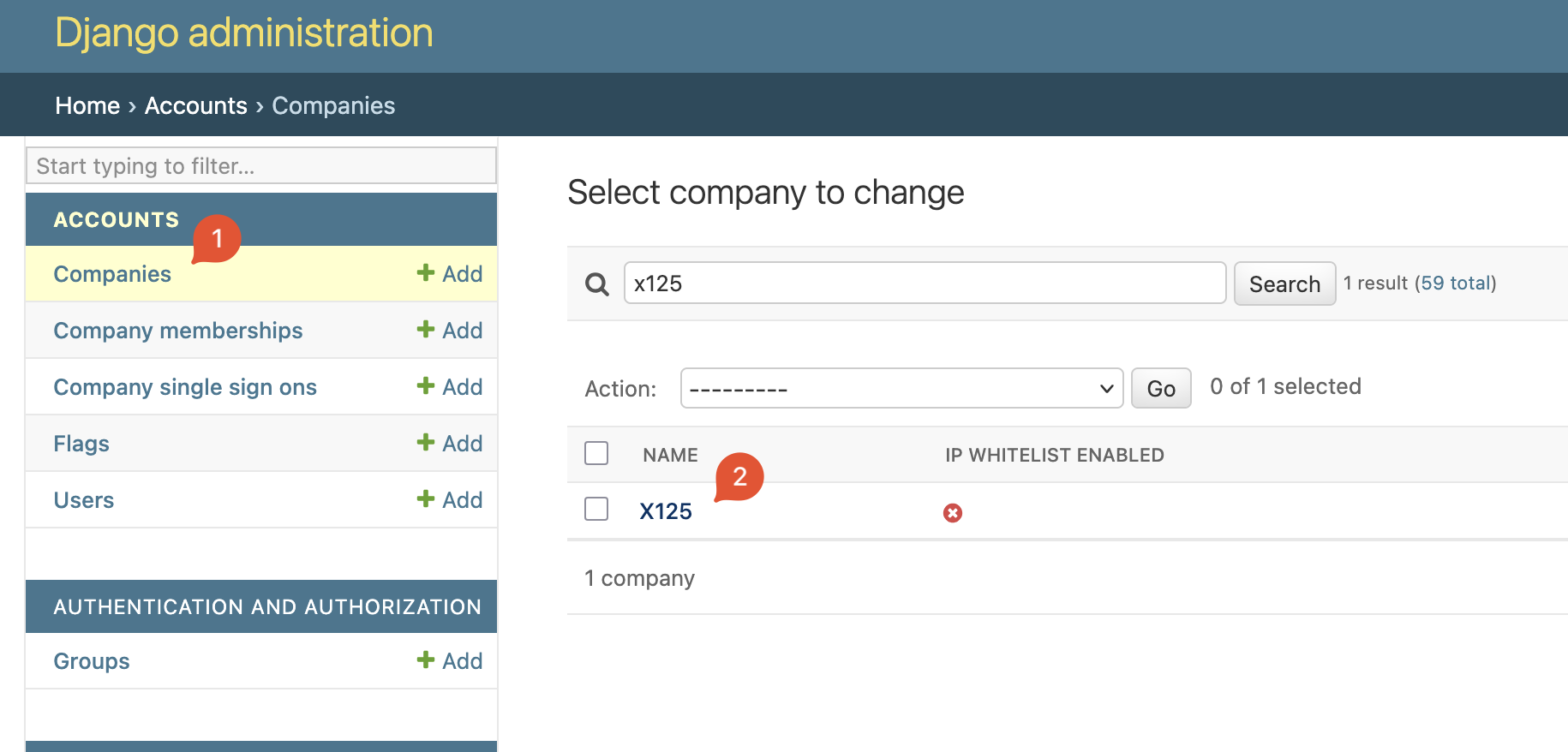
- Edit the
permissionsfield and set (or add if missing)approval_flow_enabled: trueto the list and save.
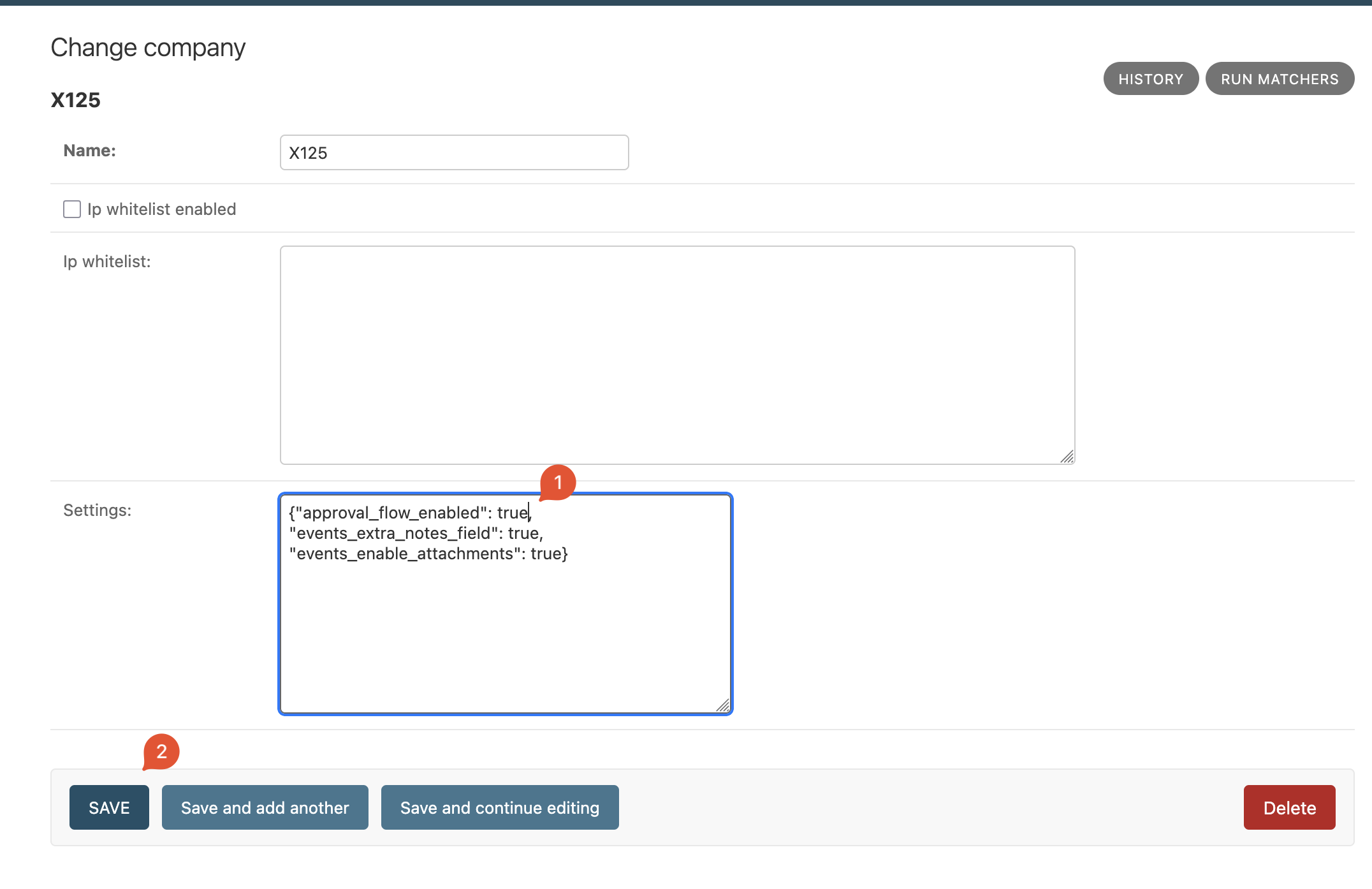
- Set one user from that company as a reviewer by going into
Company Membershipsand setting theemission_event_approvepermission totrue(see User management for details on editing company memberships):
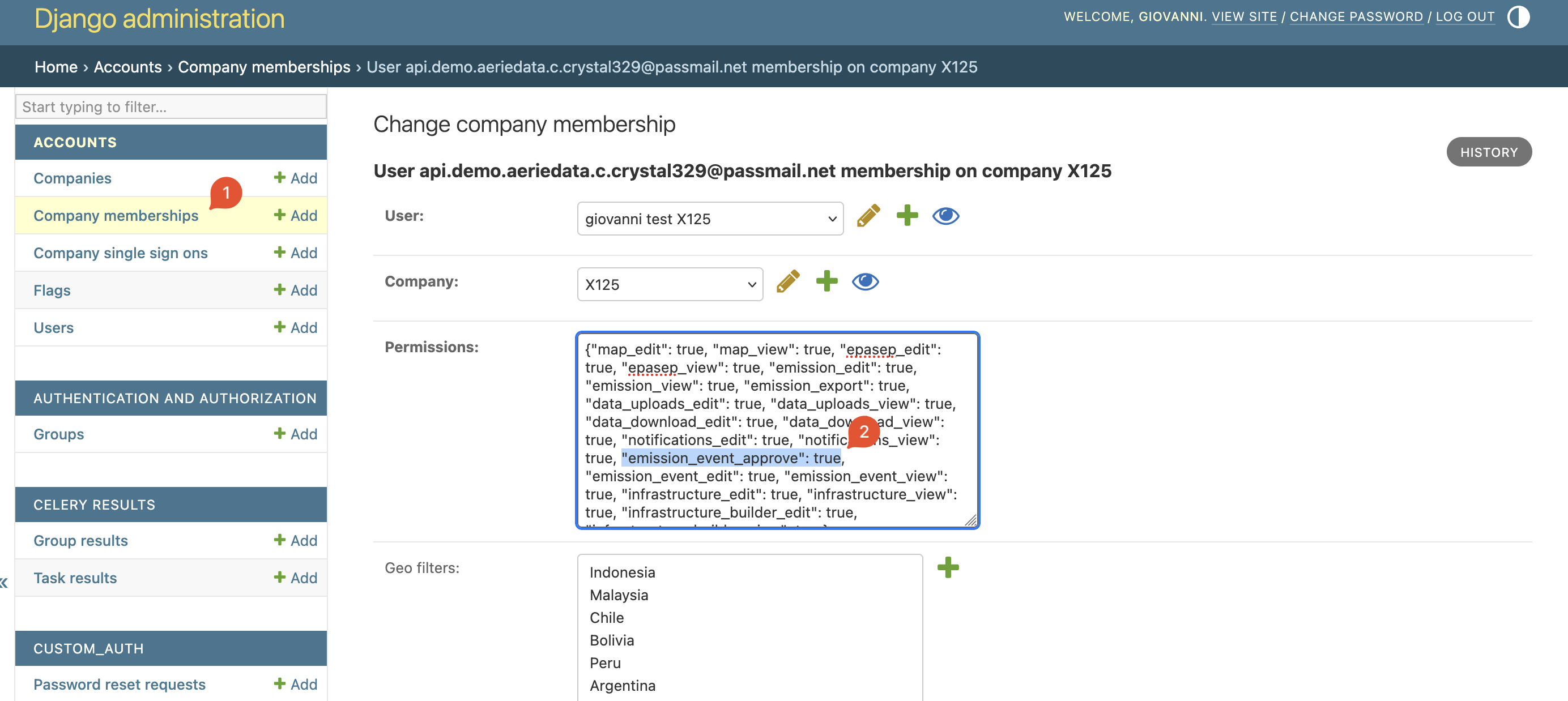
- Go back to the
Companiesadmin, select the company you want to enable reviewer flow and run theAssign company reviewers to eventsaction.
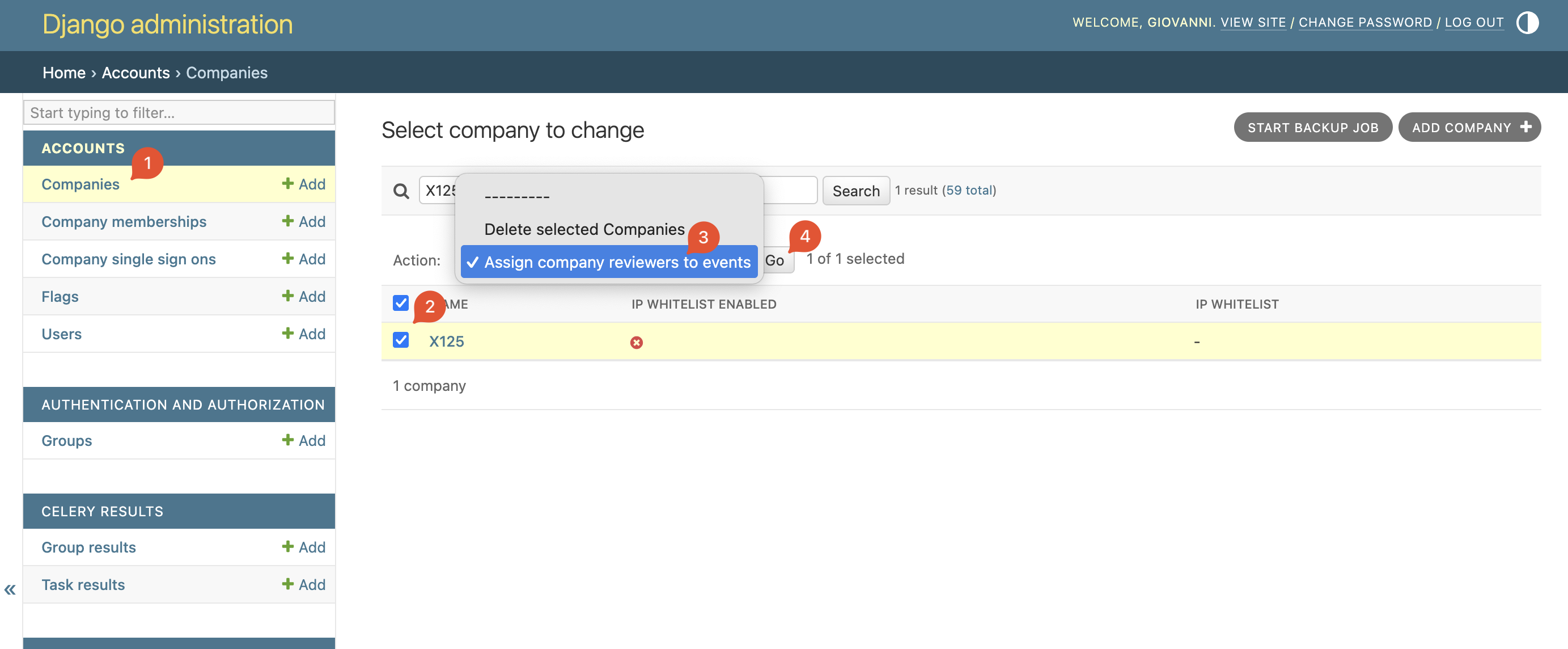
- You're all set! The approval flow is enabled and previous events had the
Reviewerfield backfilled to the enabled company reviewer.