Adding and updating geo filter presets
Geographic filter presets are predefined map areas used as convenience filters and also as a way to limit certain users' access to data.
These filters are applied on the fly to some assets and precomputed for others where calculating containment is heavier, so it's important to keep them in sync so all functionality works as expected.
They can be used on the map views through the preset filters and in the admin section to restrict users' areas.
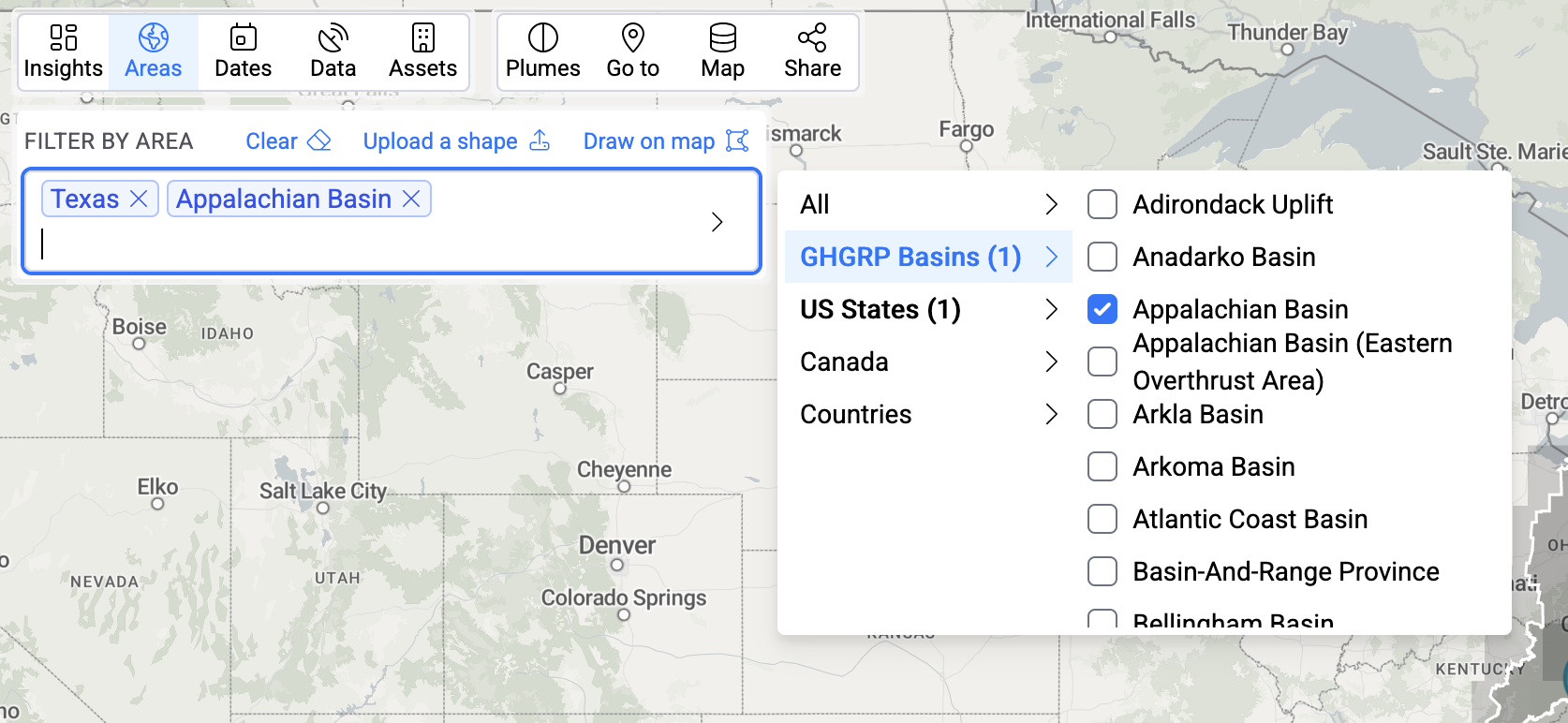
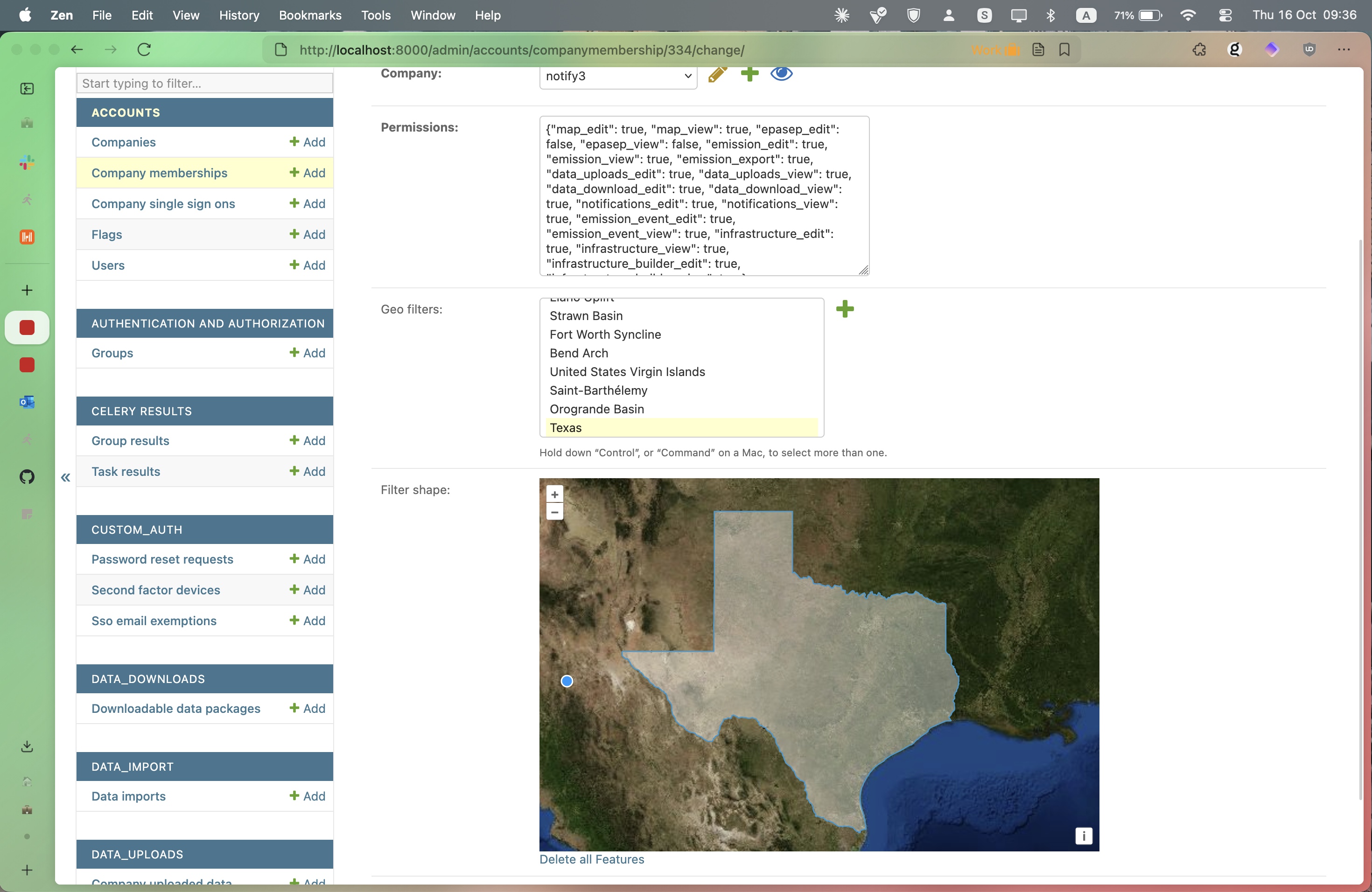
Filter Groups vs. Filter Items
Filter presets are organized into two levels in Django Admin under Geo Data:
- Filter Groups — a named collection of related geographic areas (e.g. "Texas Basins", "Permian Sub-regions"). Each group can optionally be assigned to a company to create a company-owned filter area.
- Filter Items — individual shapes (polygons) that belong to a Filter Group. These are the actual geographic areas that appear as preset options on the map.
A Filter Group with no owner is visible to all users. A Filter Group with an owner is only visible to that company's users and superadmins.
Keeping presets in sync
Every time new presets are added or modified, this operation needs to be run to ensure the filters on the map views continue working.
On Django Admin, click on the
Filter Itemslink in theGeo Datasection.Click on the
Bulk update location presetsbutton.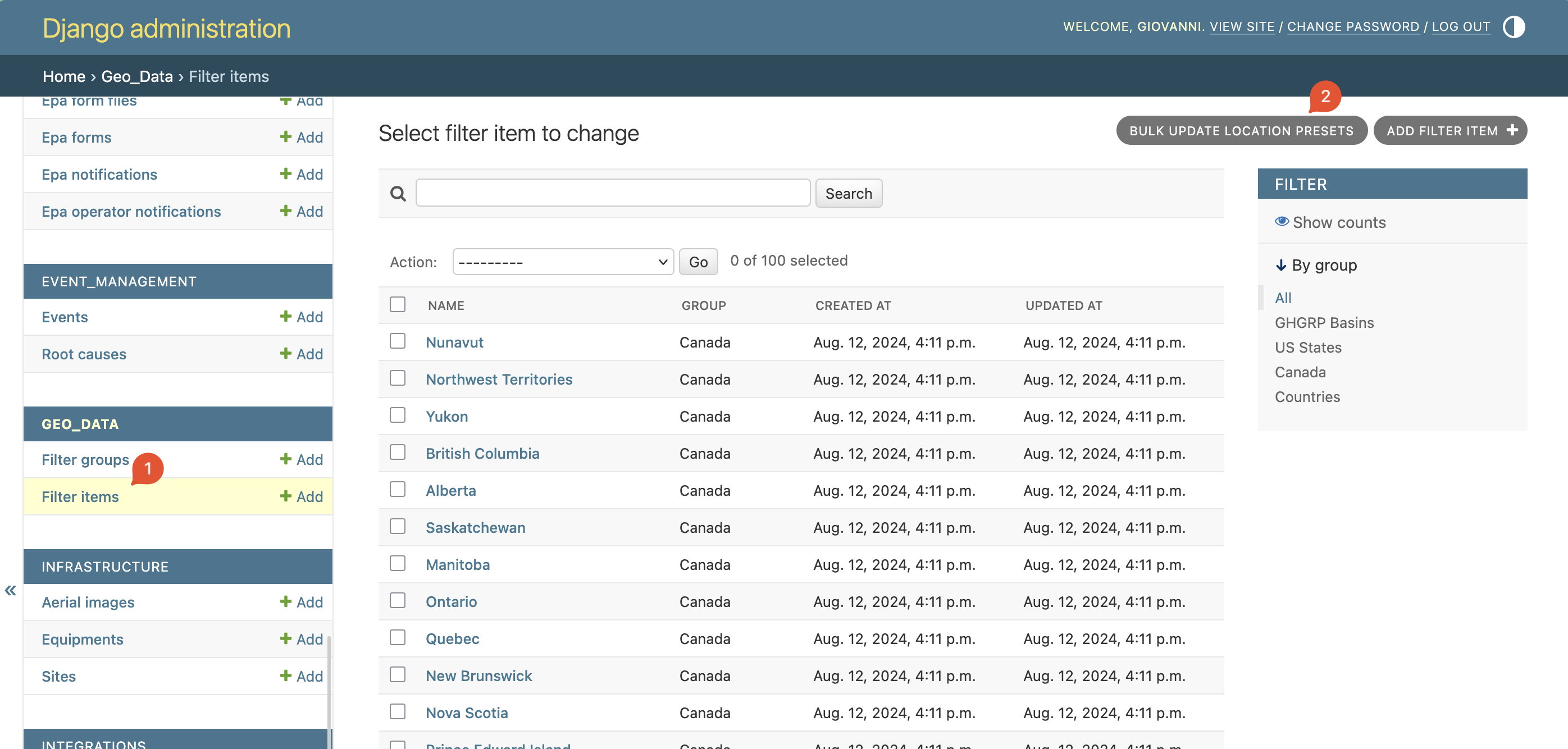
Confirm the operation:
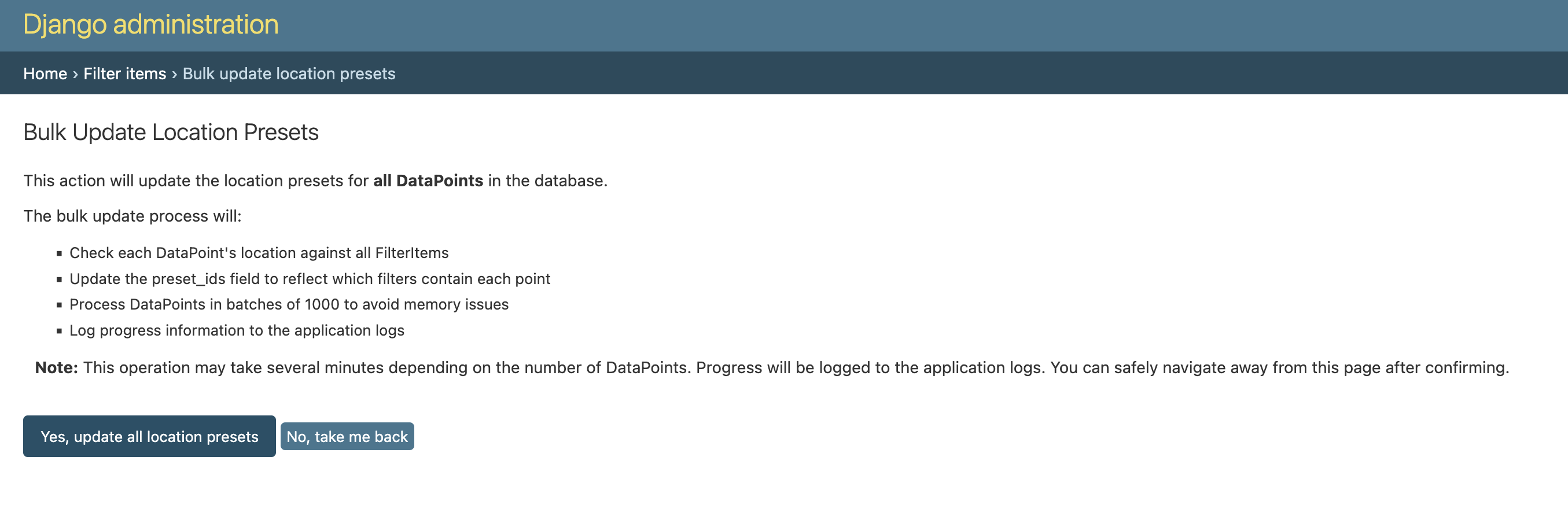
Done! The update operation will run in the background and takes 20 to 30 minutes to finish.
Schedule during low-traffic periods
To avoid any downtime in map filters, consider running the indexing operation during low-traffic periods.
Post-indexing steps
After the indexing operation completes, you should also refresh analytics data so that area-based aggregations reflect the new presets. See Refreshing analytics data.
Troubleshooting
- Filters not appearing on the map: Verify the indexing operation completed successfully. Check the Celery worker logs for errors.
- Indexing taking longer than 30 minutes: This can happen with a very large number of presets. Wait for the task to complete — do not re-trigger it while one is already running.
- Stale filters after indexing: Try a hard refresh of the browser. The map view may cache filter results client-side.