Deleting data batches
To delete a data batch and all associated content, follow these steps.
Irreversible operation
Deleting a data batch permanently removes all associated emission data, events, and related records. This cannot be undone. Verify the batch is no longer needed before proceeding.
Steps
Log in Django admin (see Admin Operations).
Navigate to
Home›Emissions›Data batchs(don't mind the wrong plural there, it's auto-generated).Select the data batches you want to delete.
Open the action dropdown and select
Delete data batch and associated entriesand clickGo.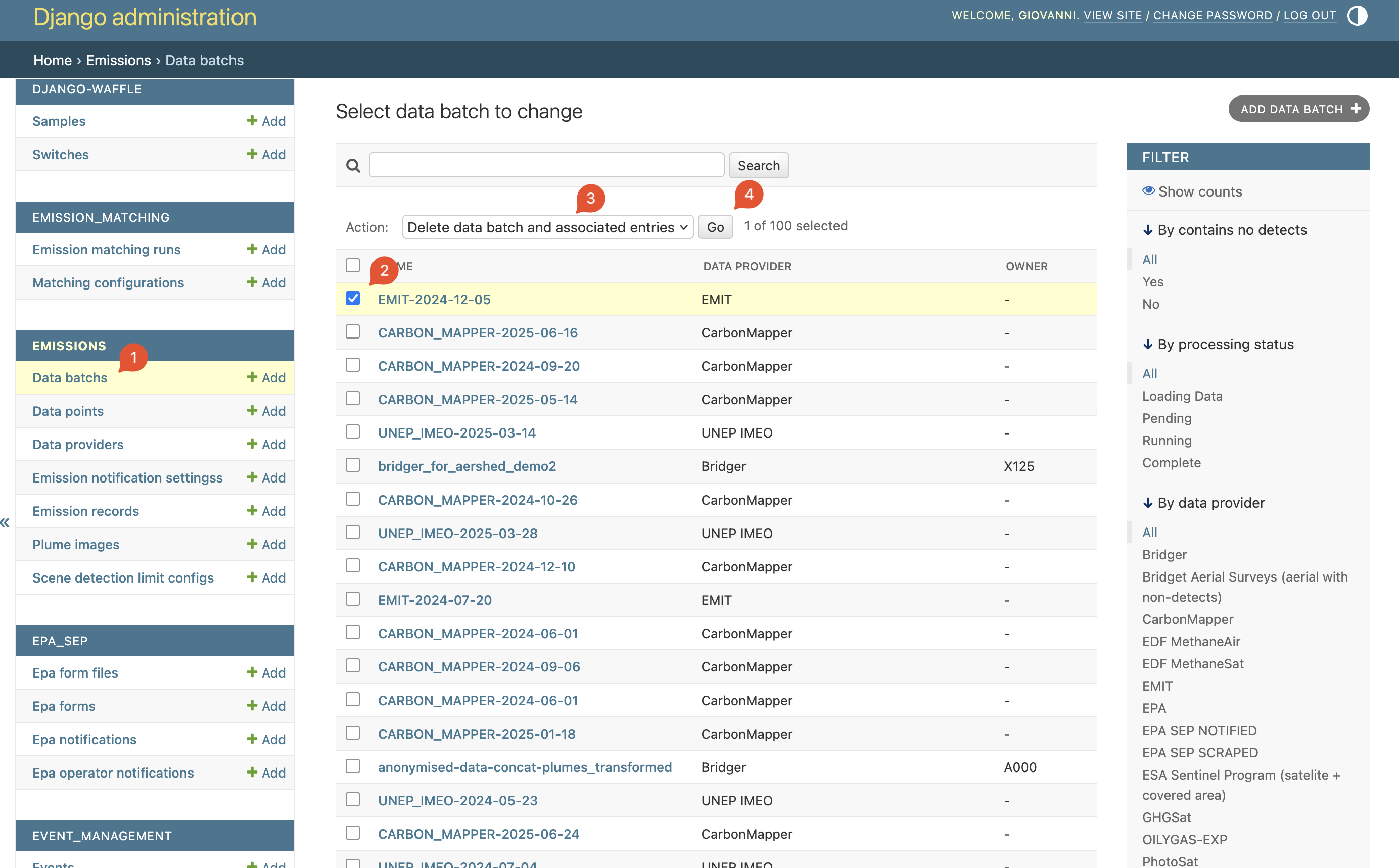
Review the information and confirm the deletion operation.
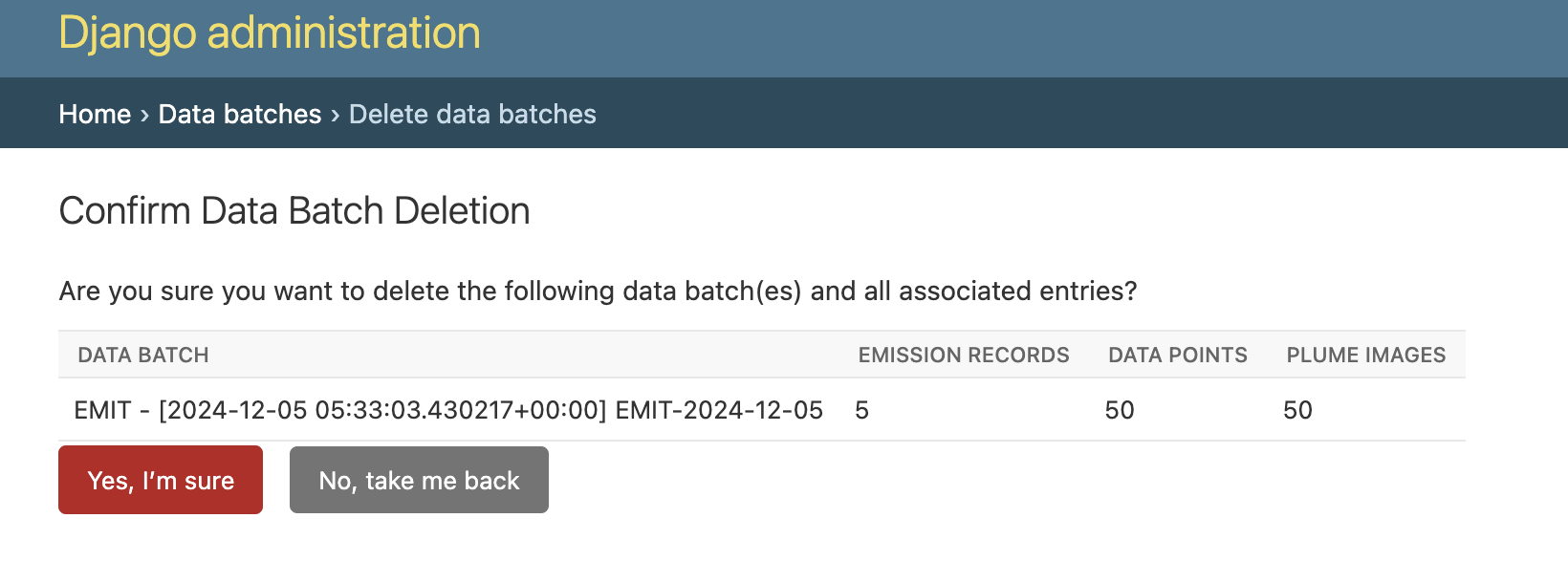
Done — the deletion process will happen in the background.
What gets deleted
When a data batch is deleted with the Delete data batch and associated entries action, the following records are removed:
- Data points — all emission detection data points belonging to the batch
- Emission records — all
EmissionRecordentries created from the batch's data points - Events — all
Evententries linked to the deleted emission records, including their root causes, action plans, and event associations - Plume images — image files referenced by the batch's data points
- Scene observations — any scene data associated with the batch
- Matching records —
EmissionMatchingRunentries that reference the deleted batch
The deletion runs as a background task, so the admin page will return immediately. The actual cleanup may take several minutes for large batches.
Post-deletion considerations
After deleting a data batch:
- Analytics may show stale data until the next refresh. If you need up-to-date analytics immediately, trigger a manual refresh — see Refreshing analytics data.
- Matching runs that referenced the deleted batch will remain in the
EmissionMatchingRuntable for audit purposes but will no longer have a valid batch reference. - If the batch was imported via the import scripts, the original data files are not affected — only the platform database records are removed.
Troubleshooting
- Deletion seems stuck: The background task may still be running. Check the Celery worker logs or the
Data batchslist for status changes. Large batches can take several minutes. - "Data batch not found" error: The batch may have already been deleted. Refresh the admin page.
- Partial deletion: If the background task fails partway through, some records may remain. Re-run the deletion action on the same batch to clean up remaining records.