Analytics data
Analytics data is precomputed on a materialized view to speed up database queries. The tradeoff with this approach is that the view isn't constantly up to date with emissions data.
How analytics aggregation works
The materialized view precomputes daily emission totals per site. Most data providers are straightforward — each emission record becomes one row. Bridger data is handled differently because a single Bridger survey can produce multiple detections at the same location on the same day.
Bridger deduplication
When a Bridger emission has a bridger_emission_location_id, the view groups detections by location, site, and day, keeping only the highest detected rate per location. These per-location maxima are then summed to produce a single daily total for each site. This prevents repeated detections at the same location from inflating the numbers.
Emissions without a bridger_emission_location_id are not aggregated and pass through individually.
Exclusions
The view excludes:
REJECTEDevents — emissions not related to company infrastructure are not counted- Sentinel-5P/TROPOMI secondary data source — these plumes likely span multiple facilities, so including them would produce misleading per-site totals
For more detail on the bridger_emission_location_id field, see Bridger extra data fields.
When to refresh
The materialized view needs to be refreshed when:
- Area presets are added or modified — this should be triggered after the preset indexing operation completes. See Adding and updating geo filter presets.
- New emission data is added and you need to see results immediately — there is a scheduled task (
refresh_analytics) that runs daily at midnight, so in most cases you can wait for the automatic refresh.
Refreshing the view
The automatic daily refresh is sufficient for most cases. Use the manual refresh only when you need up-to-date analytics immediately after a data import or preset change.
| Method | Trigger | Timing |
|---|---|---|
| Manual | Click Refresh Data in Django Admin | Immediate (10–15s) |
| Automatic | refresh_analytics Celery task | Daily at midnight |
Manual refresh steps
Log in Django admin (see Admin Operations).
Navigate to
Emission Analytics→Aggregated Emissions.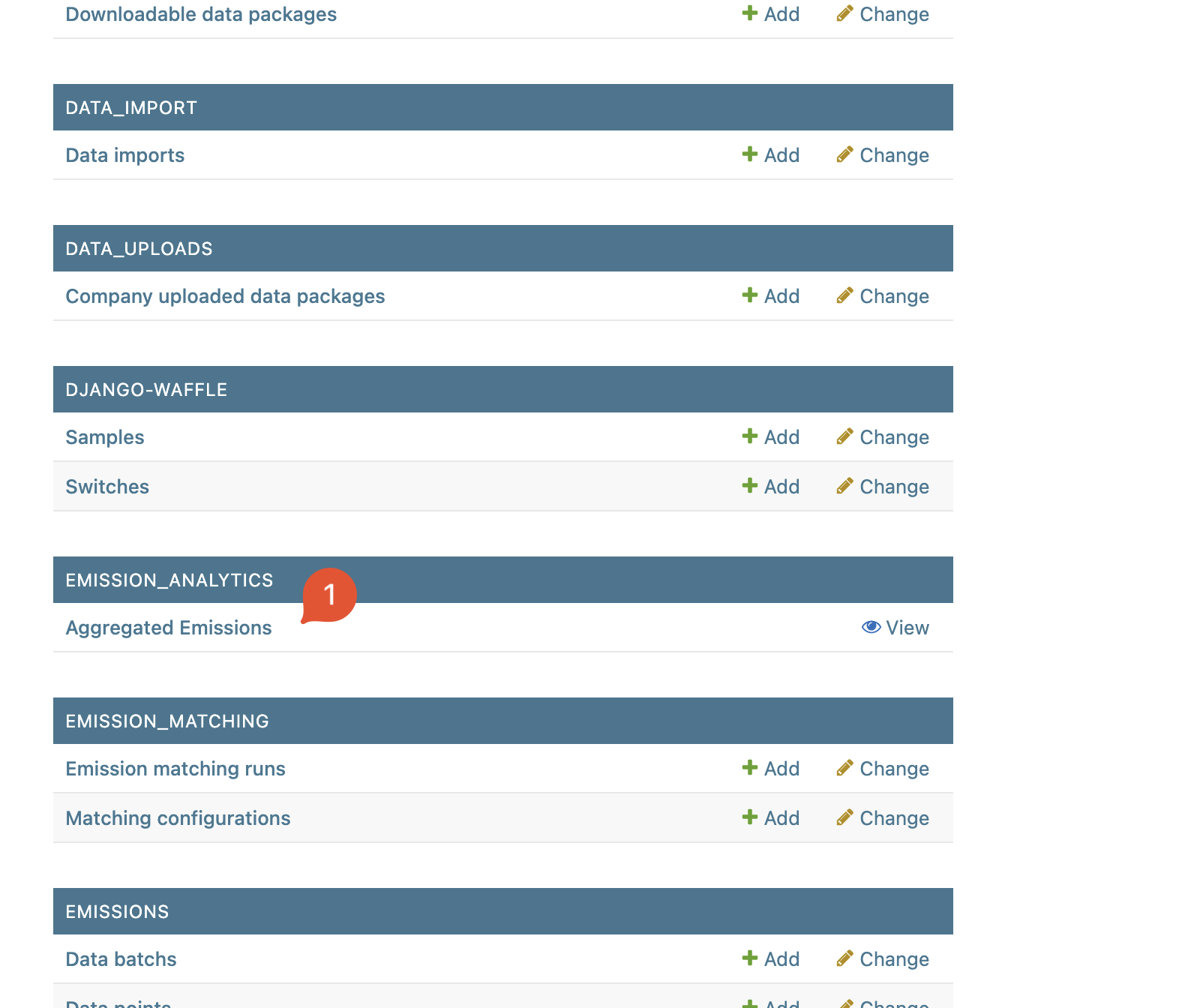
Click on
Refresh Data. The data will refresh in the foreground and will take a few seconds (10–15s).